kelp

Give your agent eyes.Send Kelp.

Record your screen, talk, draw. Send one Kelp link. Your coding agent reads the brief and opens its screenshots.

Works with ClaudeCursorCodex

For macOS Sonoma on Apple Silicon.

0:001:00

Ledgerly checkout review

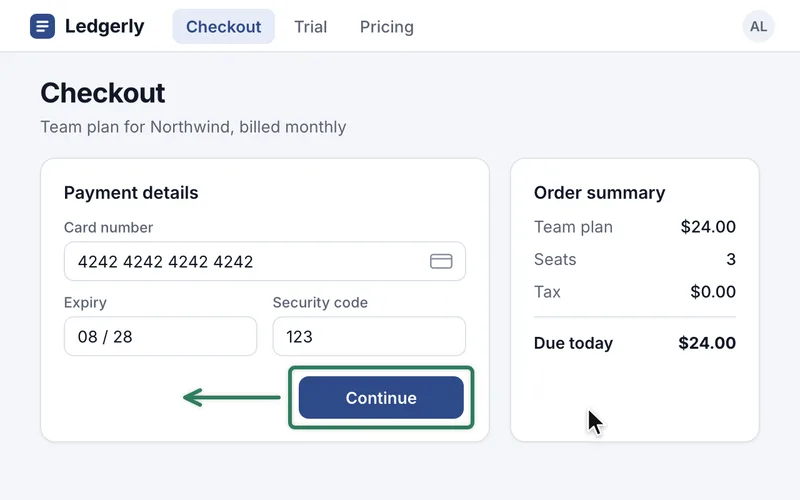
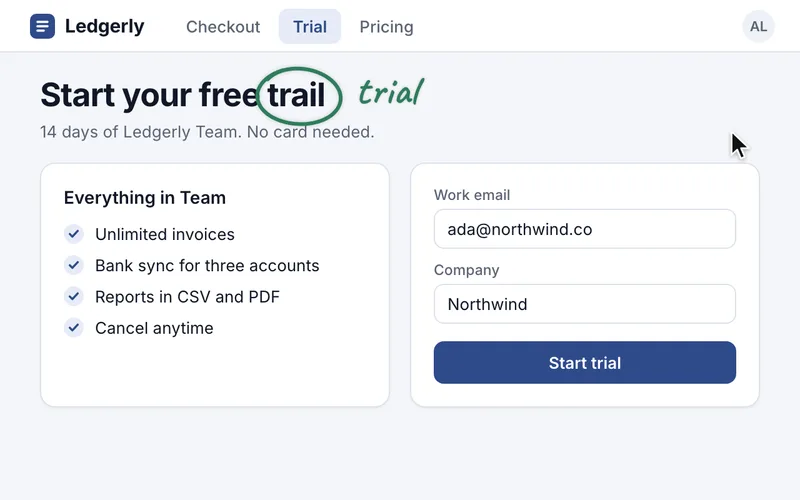
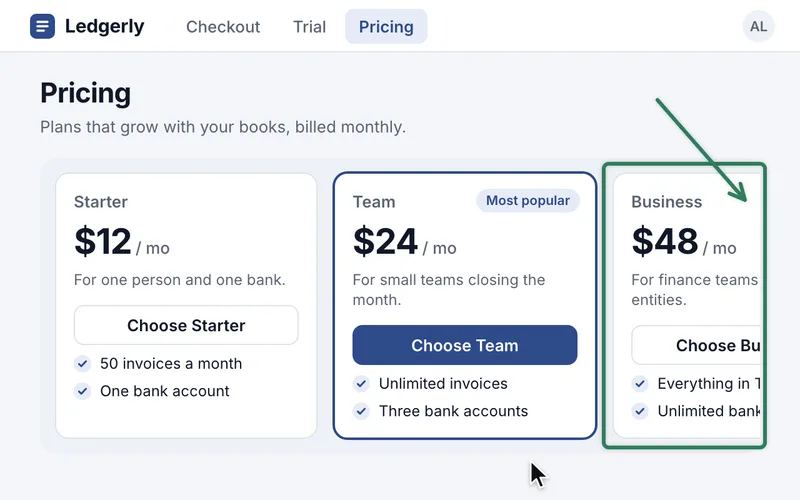
Polish three spots in the Ledgerly signup flow: center the Continue button on checkout, fix the trial heading typo, and keep the third pricing card inside its panel.

Findings
  1. You paste screenshots into the chat one at a time, then explain each one.

    Show everything in one take. Kelp takes the screenshots for you.

    You
    Your agent

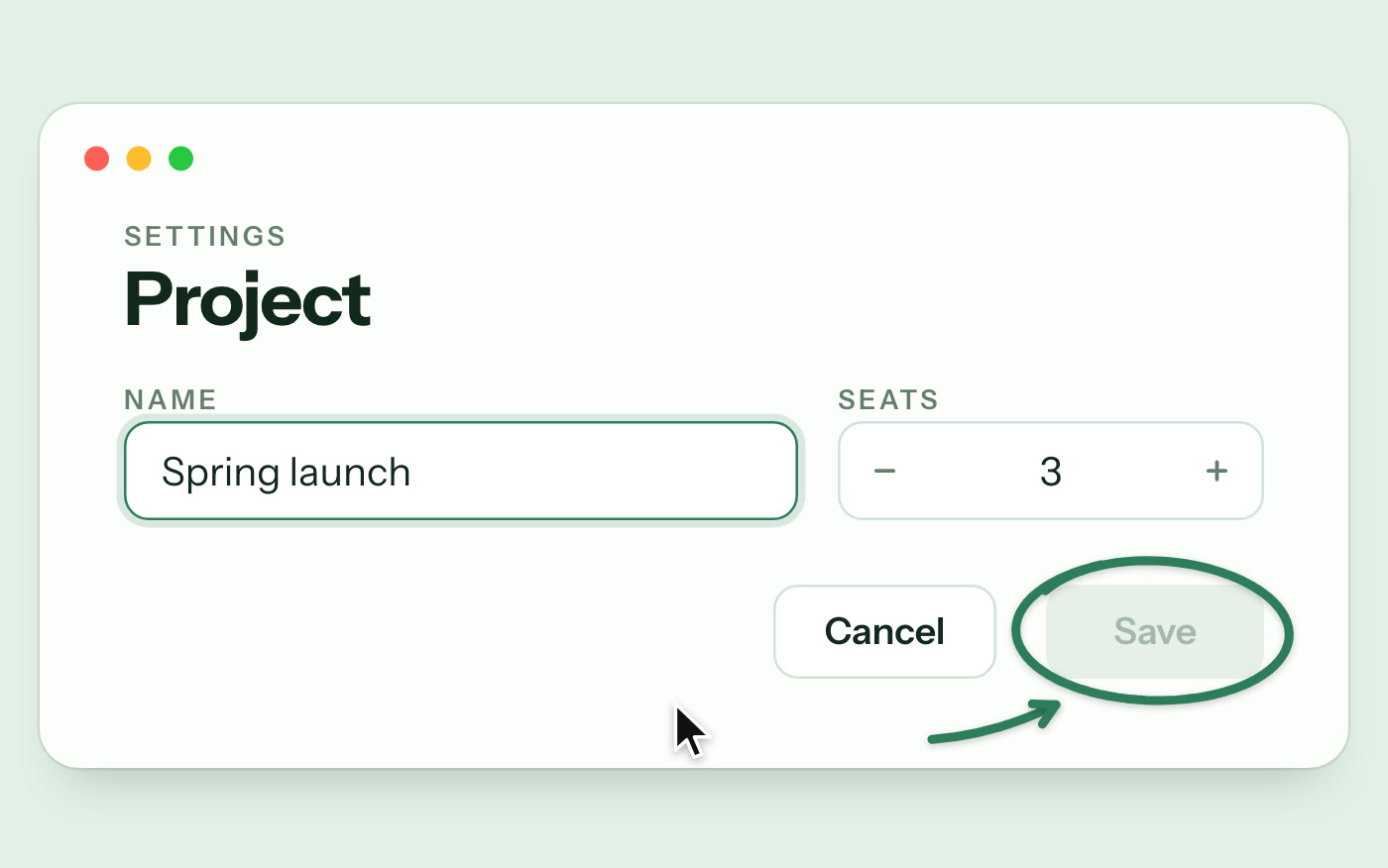
    Save stays disabled after a rename

    - Severity: bug

    - Where: Settings › Project › Save button

    - Evidence:

    Crop of the Save button, circled, with the drawn arrow pointing at it
  2. By the time you finish typing, you have forgotten half of it.

    Talk while you look. Kelp turns your words into clear steps.

    Your agent

    Save stays disabled after a rename

    - When: 00:00:01–00:00:07

    - Said: [00:00:01] "I renamed the project, and Save is still greyed out. Clicking it does nothing."

    - Do: Enable Save as soon as the project name changes.

    - Actual: Save stays greyed out and ignores clicks.

    - Confidence: high

  3. Every new agent session starts from zero.

    Explain it once. Paste one link into any agent.

    Any agent

    Claude

    Opens every screenshot

    Cursor

    Works through findings in order

    Codex

    Reports back on each finding

Frequently asked questions

Is my recording private?
Your video, voice and screenshots upload to Kelp's cloud on Cloudflare, and AI models on Cloudflare and from Google and Anthropic turn them into the brief. Kelp does not sell your content or train models on it, and your local copy stays on your Mac. Anyone with a Kelp link can open it, and so can the agents they give it to. On Free, hosted video and screenshots are scheduled to expire after 30 days, while the brief and transcript stay until you delete the Kelp.
What does it cost?
Start free. You get 1 hour of recording every 7 days.
How do I sign in?
Sign in with GitHub, Google, or an email link.
Which agents does it work with?
Paste one Kelp link into Claude, Cursor, Codex or another coding agent. Your agent reads the brief and opens its screenshots. Copy link in the Mac app puts that link on your clipboard.
Does it work on Intel Macs?
No. Kelp requires macOS Sonoma and Apple Silicon, M1 or later. There is no Intel build and no Windows version. If you need either, write to hello@kelp.md; it helps decide what gets built next.

Try Kelp on your next walkthrough